Chums
Making a Web3 messenger easier to use
For a year I led design at Chums, a messenger on the open Matrix protocol with crypto wallets, NFTs, domains and dApps built into the chat. 32k+ wallets, $200k+ in user balances.
Chums already had plenty of features. Most of my job was making them easy to find and easy to use.
- Role
- Product design lead
- Team
- Founders, PM, art director, one developer, junior designer
- Timeline
- Concept in 2024 · Design lead in 2025
- Outcome
- Desktop beta in three months · attaching a file went from six steps to one
Chums was a client of Cedro Agency, the studio I worked at.
Make switching servers easy
On Matrix, every community can run its own server. In Chums you picked a server once, when you signed in, and switching later was slow.
In early 2024 I designed a concept for the main mobile screens:
- Servers at the top, one tap to switch.
- Signing in happens in a sheet, so you join a server without leaving the chat list.
- Direct messages kept apart from server spaces, so you always know where a chat lives.
- Coins in the attachment menu, right next to photos and files.
The founders approved it. Then the product’s designer left, and I took over design, with a junior designer to mentor.
The concept itself didn’t ship as designed. The server flow stayed the same, and only the look reached the product, piece by piece. That one stung.
Make desktop work like desktop
The PM and I audited the desktop app separately and came back with the same verdict: it was the phone app, stretched across a big window.
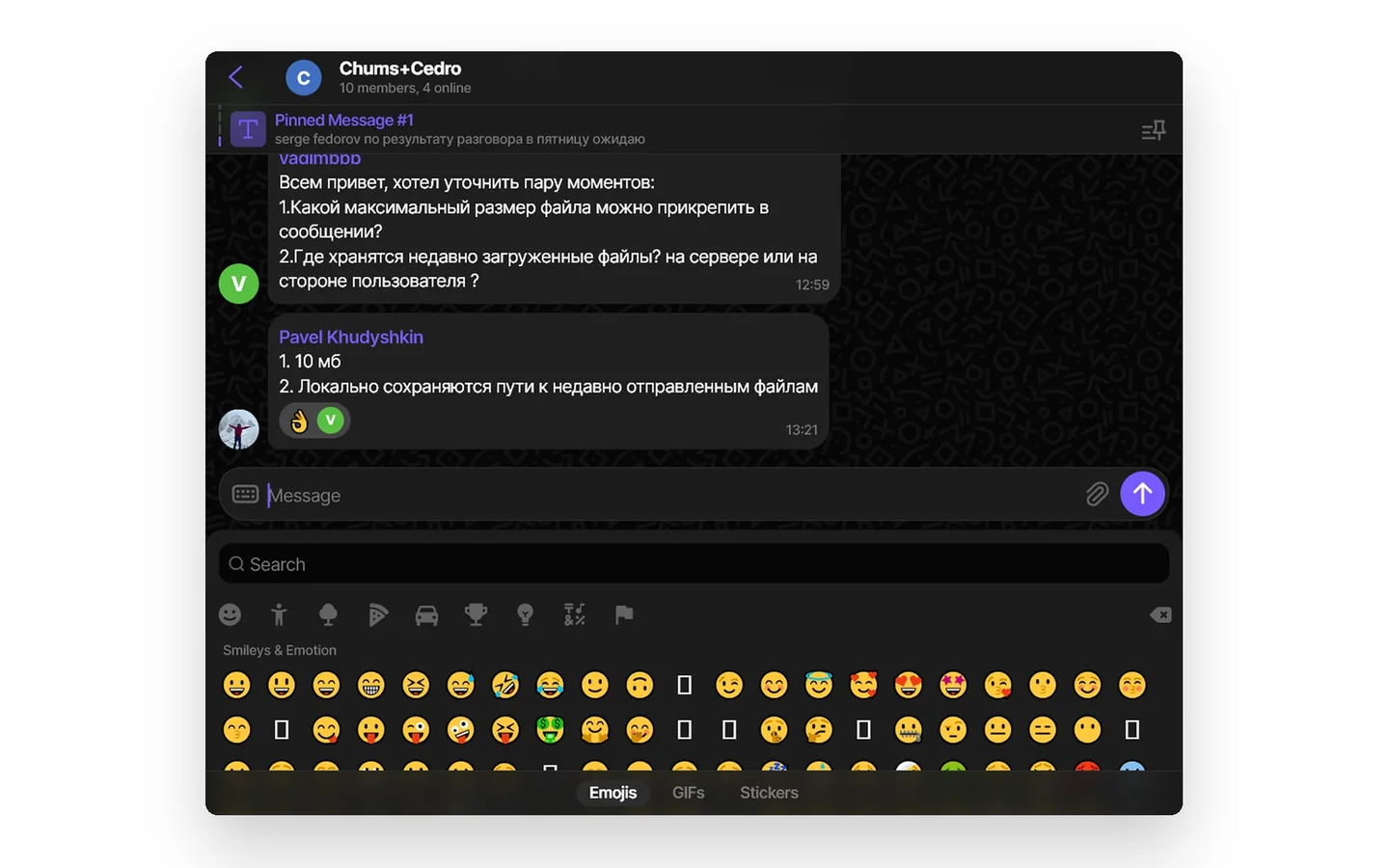
Contacts used to open in a full window. Now they open in a small one over the chat, so you don’t lose the conversation.
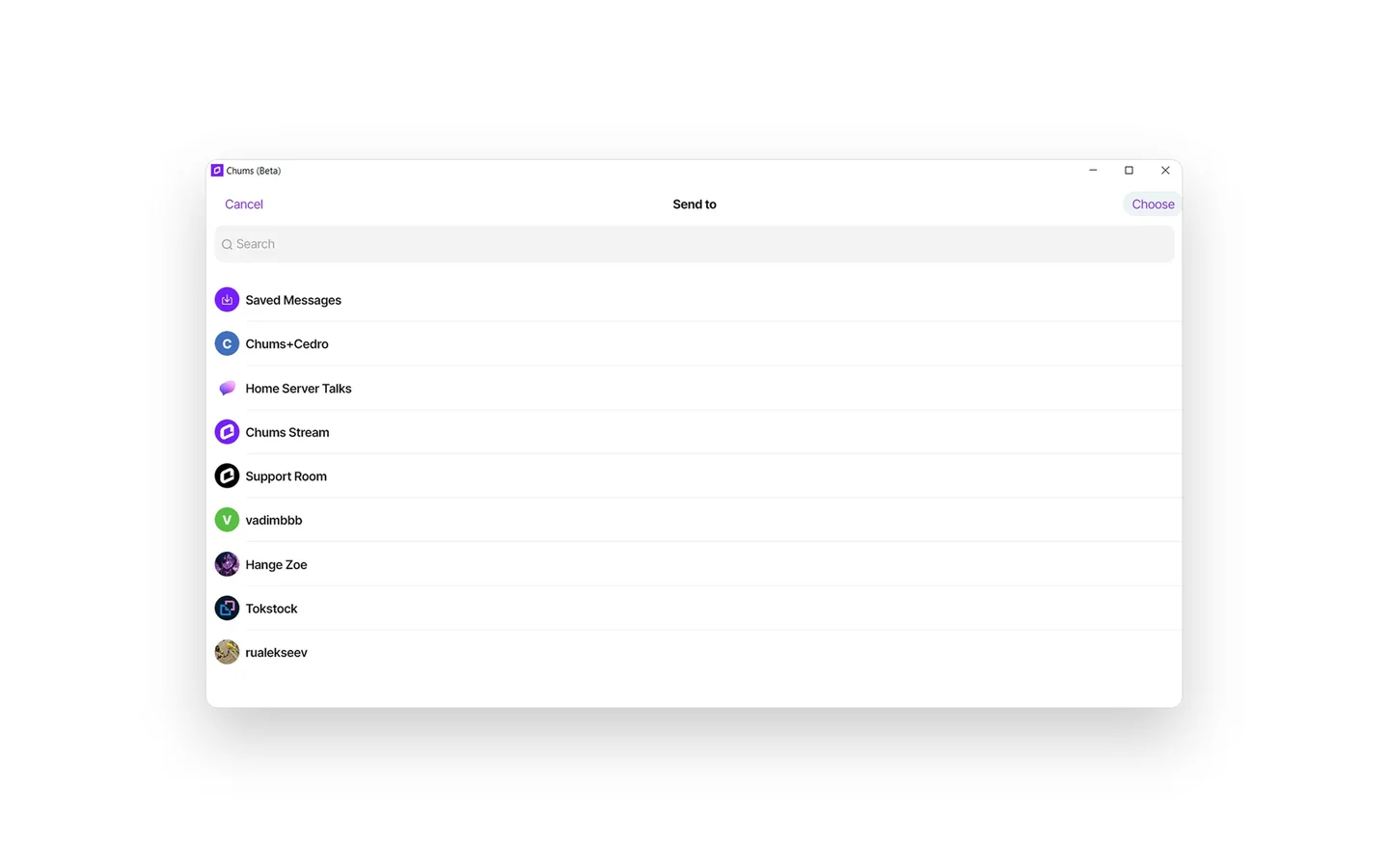
The emoji panel used to cover the whole window. Now it’s a small window above the message field.
Attaching a file took six steps. Now you drag it into the chat.
The attach button stayed too, for people who don’t drag. It opens a small window with your pictures and recent files.
For window sizes from 1300 to 375px we set rules: the chat list keeps its width, the chat stretches, and a narrow window becomes one column.
The wallet was designed before us, so we didn’t redesign it. We taught it to behave on desktop: a popup in a wide window, a full screen in a narrow one.
The founders and the PM approved the plan within a week. With one developer on the whole app, some details had to wait. The first beta shipped three months later, and the new patterns went into the design system.
Give every AI request its own thread
Chums was testing an AI assistant in group chats: you mention it and give it a task. Now picture a group of twelve where one person is planning a meeting with a bot, and everyone else gets every message.
So every request opens its own thread, which Chums calls a discussion:
- You call the assistant with @, like any other member.
- The answer stays in the thread. The chat shows one line and a counter.
- All threads of a room live in one list.
Turn a vague brief into a rewards system
The brief fit in one line: XP for activity in the messenger, plus quests with a deadline from Venom, a blockchain network Chums worked with.
The old quests were rooms in the chat list, set up by hand. Nothing said what they were for or what you’d get. So before drawing anything, we sat down with the PM and asked the awkward questions, like “Why do quests at all?”
The brief
- PM’s briefXP for activity + Venom quests
What we asked
- Which metric should this move?
- Why do quests at all?
- Points: in Chums or at Venom?
- Where do rooms come from?
What we mapped
- Explore tab
- Quest hubWhat the quests are and why they’re worth doing
- First stepsThe same steps as before, each with a reason
- Regular questsTotal points, quest history, rooms
- Invite a friendShare link
Then we looked at how Matrix clients, Telegram, Discord and the Family wallet handle this, and built the screens around three questions.
Can people find it?
Quests moved from the chat list to the Explore tab.
Do they get the rules?
Every screen starts with a short explanation, and a checklist walks you through the first steps.
Do they know what they’ll earn?
One screen shows your points, the time left in the season and what each room gives.
The junior designer drew the screens, and I directed the work. The system was approved and handed to development before I left the studio in January 2026.
Where it landed
Concept
Approved. Only the look reached the product; the server flow stayed.
Desktop
In beta three months after approval.
Assistant
Designed for desktop and mobile.
Rewards
Approved and handed to development.
What I’d do differently
Agree on metrics with the PM before the first mockup. I can tell you attaching a file went from six steps to one, but not how many people noticed. For desktop I’d track steps and time for common actions. For rewards, how many people start a quest and how many finish.